Identify the represented ship
Use the media and interpretation to locate the vessel and its context.

REFERENCE VIEWS · IMAGE SEQUENCE 15 sec
Photograph reference sequence
Compare Ship Digital Twin Interpretation Exhibit in five labelled still views. A wide enclosed media display introduces the relationship between a ship model and its digital representation.
Product details & project options Browse the video library · Page 40IMAGE VIEWING GUIDE
A long freestanding cabinet contains a wide visual scene and interface content, with ship interpretation behind it. Visitors can compare a represented vessel with its digital information. A true live data connection, simulation model and update rate must be defined for the selected programme; the photograph only establishes a museum media configuration.
Use the media and interpretation to locate the vessel and its context.
Choose the offered view or information according to the programme instructions.
Discuss what the display represents and which data sources support the selected version.
This film sequences existing reference images. It is not continuous operating footage or a moving 3D simulation; final function and configuration follow the agreed project.
Product details & project optionsKEEP EXPLORING
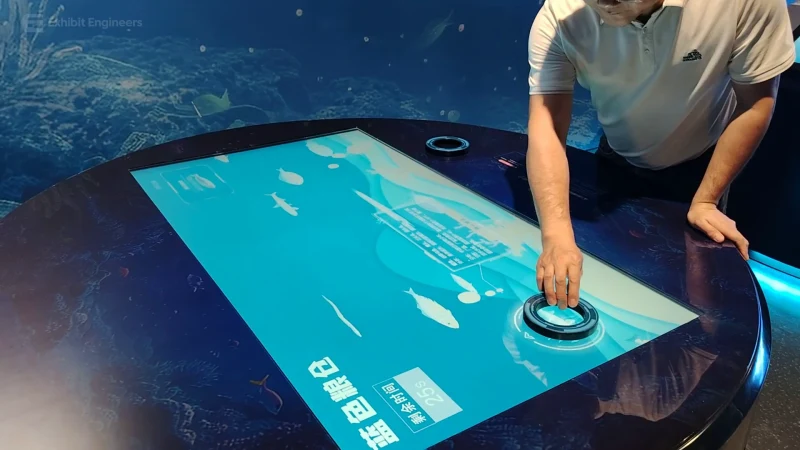
Ocean science
Select topics on a round interactive table to explore marine food resources through the supplied learning programme.
Watch the demonstration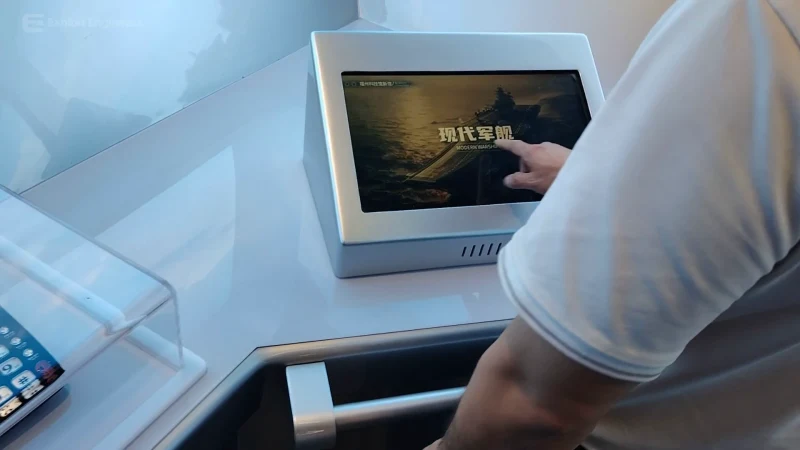
Ocean science
Explore ship models and screen-based interpretation at a dedicated naval-vessel learning console.
Watch the demonstration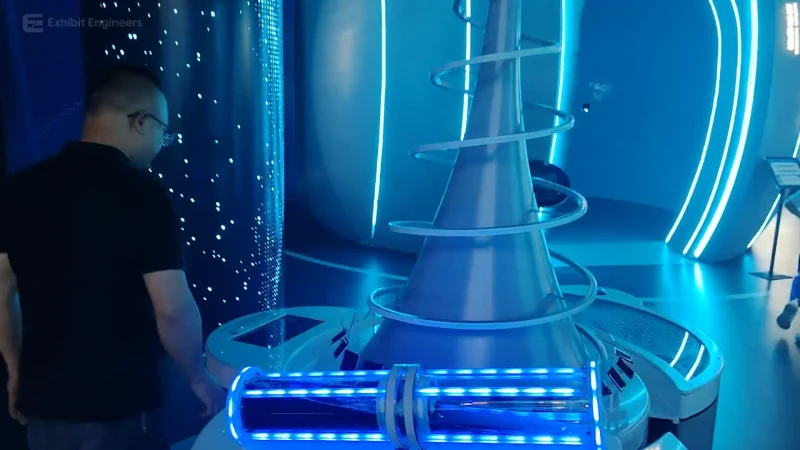
Ocean science
Explore a tall physical concept model and its visitor interface to discuss a proposed offshore energy-supply arrangement.
Watch the demonstrationFROM CONCEPT TO TURNKEY DELIVERY
Bring a sketch, a reference video or a project brief. Let’s discuss the experience, the site and the practical next steps.